
Vantage Workspace · for law firms
Your files stay with your firm. Your deadlines stay in view. Your hours go to clients.
Vantage Workspace gives your firm AI Workers for the admin around the legal work. An AI Worker is a named member of staff inside your workspace, with a job, a manager, a set of rules and a daily spending limit. Your lawyers keep doing the law, and a person decides everything that matters.



At the deskThe client has your full attention. The inbox, the dates and the record are kept for you behind them.
01 · Your hours
Admin is time you cannot bill.
The inbox, the diary, the forms and the follow-ups take hours that never reach a client invoice. Vantage Workspace hands that routine work to AI Workers, so more of the week stays on client work.
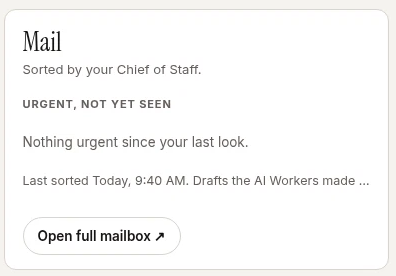
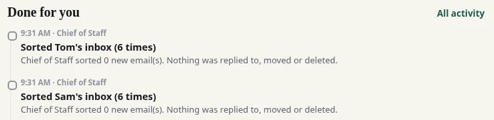
Each morning the Chief of Staff has already sorted the inbox. It replies to nothing, moves nothing and deletes nothing. It only tells you what is waiting. On Monday it writes a brief of what needs your attention. When a worker drafts something, it waits for you to read it and say yes.
02 · Your deadlines
Deadlines stay in front of you.
Put a date on a task or in the diary and it comes up on Today and in the Monday brief: what is due, and what is already overdue. The Chief of Staff and your AI Workers read the same list, so a date never lives only in one person's head.
03 · Client files
Client files stay with your firm.
Runs on a server your firm controls. Your data and your model stay yours. If you'd like us to run the server for you, it sits in the country you choose, for your firm alone.
Your files, mail, chat, records, memory and audit log are stored on the server your firm controls. What leaves it is only what you switch on: the text of a request to the AI provider you choose (nothing, with a local model), and outside email through your mail relay.
Your model.
You choose the AI provider and bring your own keys, or run a local model that sends nothing out.
Your people, by role.
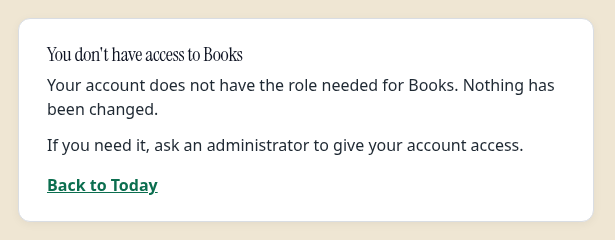
Each person sees only what their role allows. Someone without the role gets a plain refusal, and nothing is changed.
04 · The record
A record of who did what.
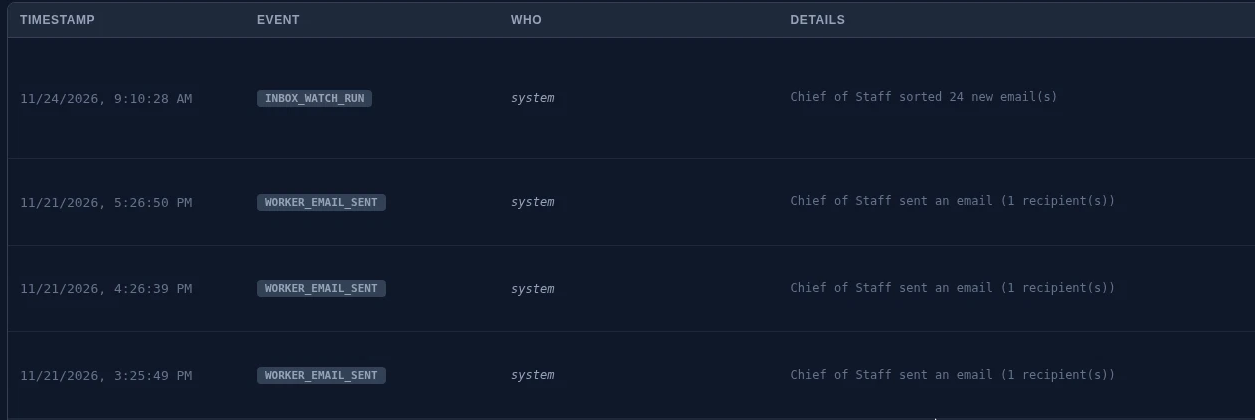
Every action by an AI Worker goes into one log, under its own name, with the time. A person approves anything that touches money or leaves the firm, and that is in the log too. When a partner, a client or your law society asks what happened, you open one page. You can search it, and export what you see.

05 · New enquiries
Intake, with a person deciding.
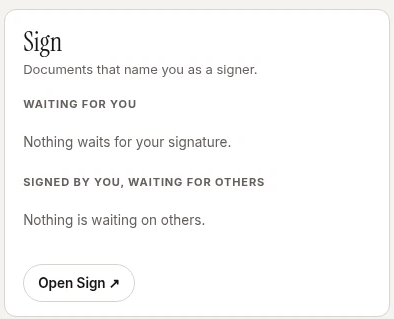
A new enquiry arrives by email. The Chief of Staff sorts it with the rest of the inbox, and nothing is replied to, moved or deleted. Client notes and tasks sit in one place, linked to today, so the person who decides has the names and the history in front of them. Documents waiting for a signature sit in one place too.
Conflict checks stay with your firm. Vantage Workspace helps gather and organise what the person checking needs. It does not run a conflict check, and it does not decide whether to take a matter.
Plainly
What it is, and what it is not.
- It is a workspace with named AI Workers around your lawyers' work. It does not replace your practice management or billing system, which can stay where it is.
- It does not do legal time billing or trust accounting.
- It does not run conflict checks, and it does not work out limitation periods or court deadlines.
- The screens on this page come from a made-up cabinetry firm. They show how the product behaves. They are not a law firm's data.
Plain questions
What a firm asks first.
Where do our client files live?
Runs on a server your firm controls. Your data and your model stay yours. If you'd like us to run the server for you, it sits in the country you choose, for your firm alone.
Which AI model does it use?
You choose the AI provider and bring your own keys, or run a local model that sends nothing out. Your data and your model stay yours.
What needs a person's approval?
Anything that touches money or leaves the firm. A worker drafts, and the request waits for a person to Reject or Approve. Every action is written to one record under the worker's name.
Does it work out limitation periods or court deadlines?
No. Vantage Workspace shows the dates you give it, on Today and in the Monday brief. Your firm's own checks stay in place.
Does it run conflict checks?
No. Conflict checks stay with your firm. Vantage Workspace helps gather and organise what the person checking needs, and it does not decide whether to take a matter.
Does it replace our practice management or billing system?
No. It is a workspace with named AI Workers around your lawyers' work. It does not do legal time billing or trust accounting, and your current systems can stay where they are.

Start with one job.
Thirty days. One named AI Worker. One person who approves. Pick the admin that costs your partners the most time.